Here’s the procedure on how to print payment reports:
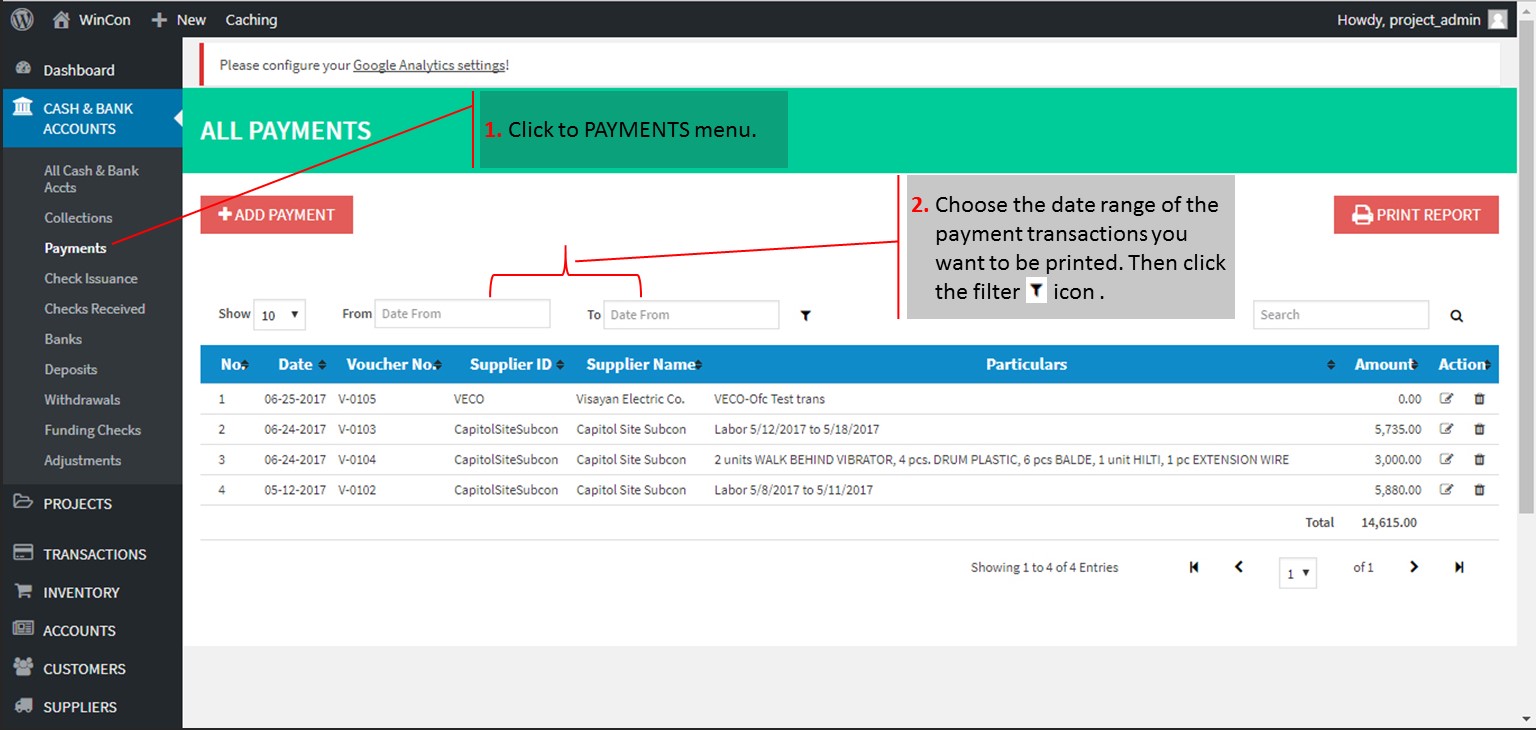
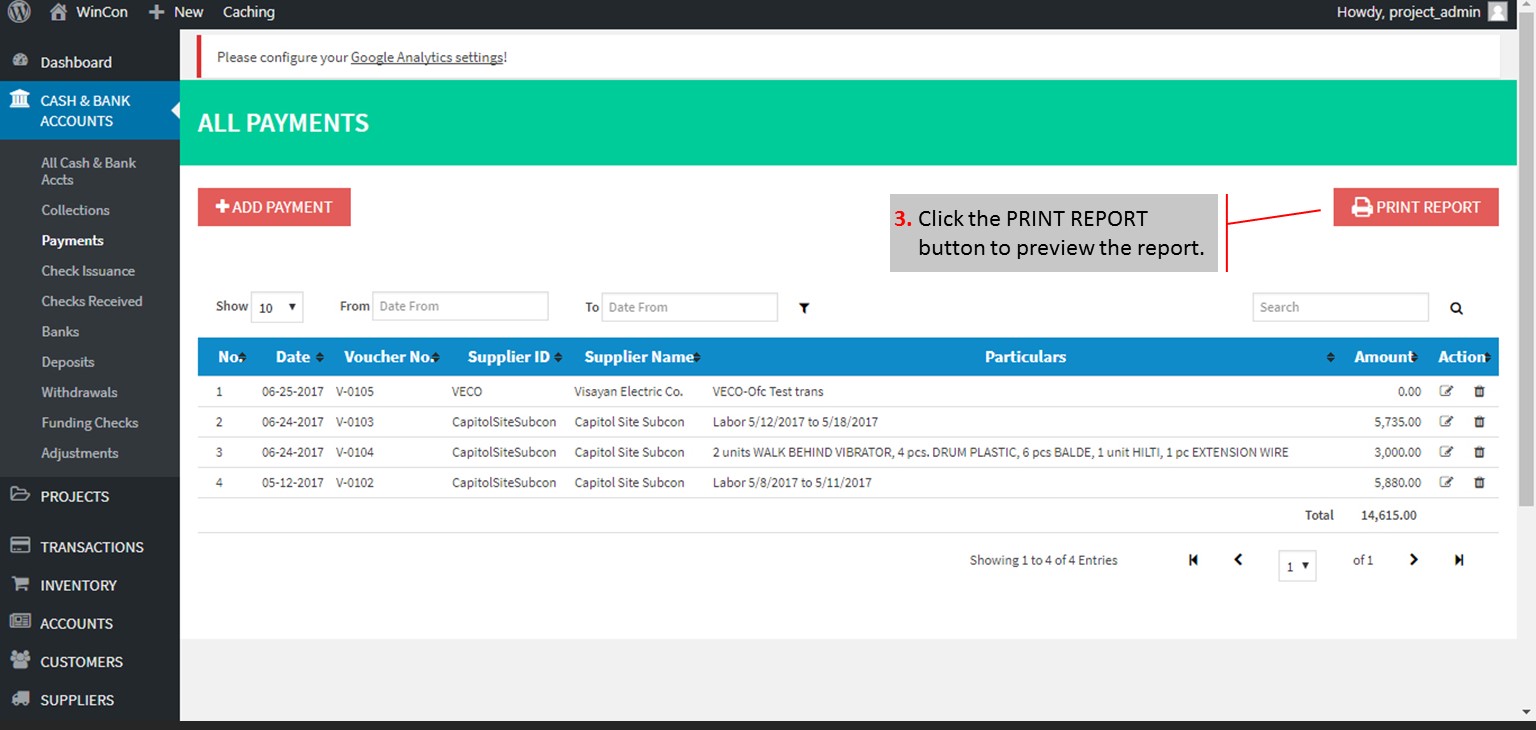
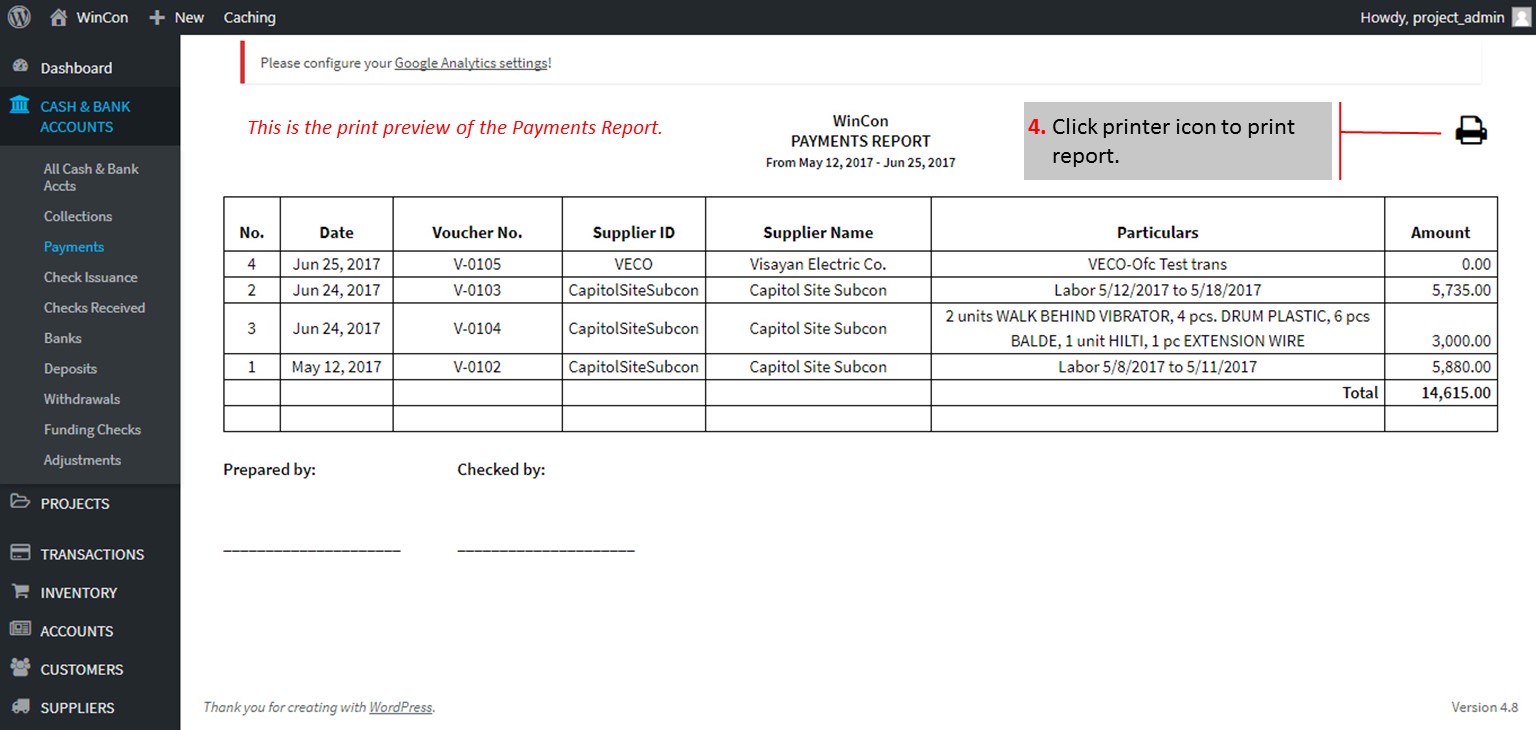
Click to zoom the slideshow.
Here’s the procedure on how to print payment reports:
Click to zoom the slideshow.
RECORDING EXPENSES
There are two ways to enter expenses into the system.
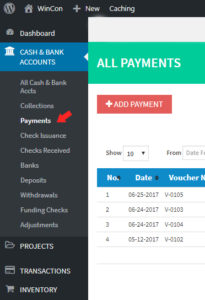
1. Payments menu – used when paying expenses in cash or check.
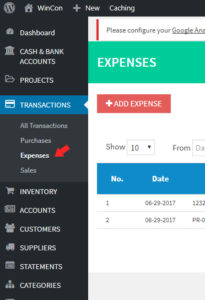
2. Expenses menu – used to enter expenses incurred on credit. Payment of expenses entered here is done via the “Payments” menu.
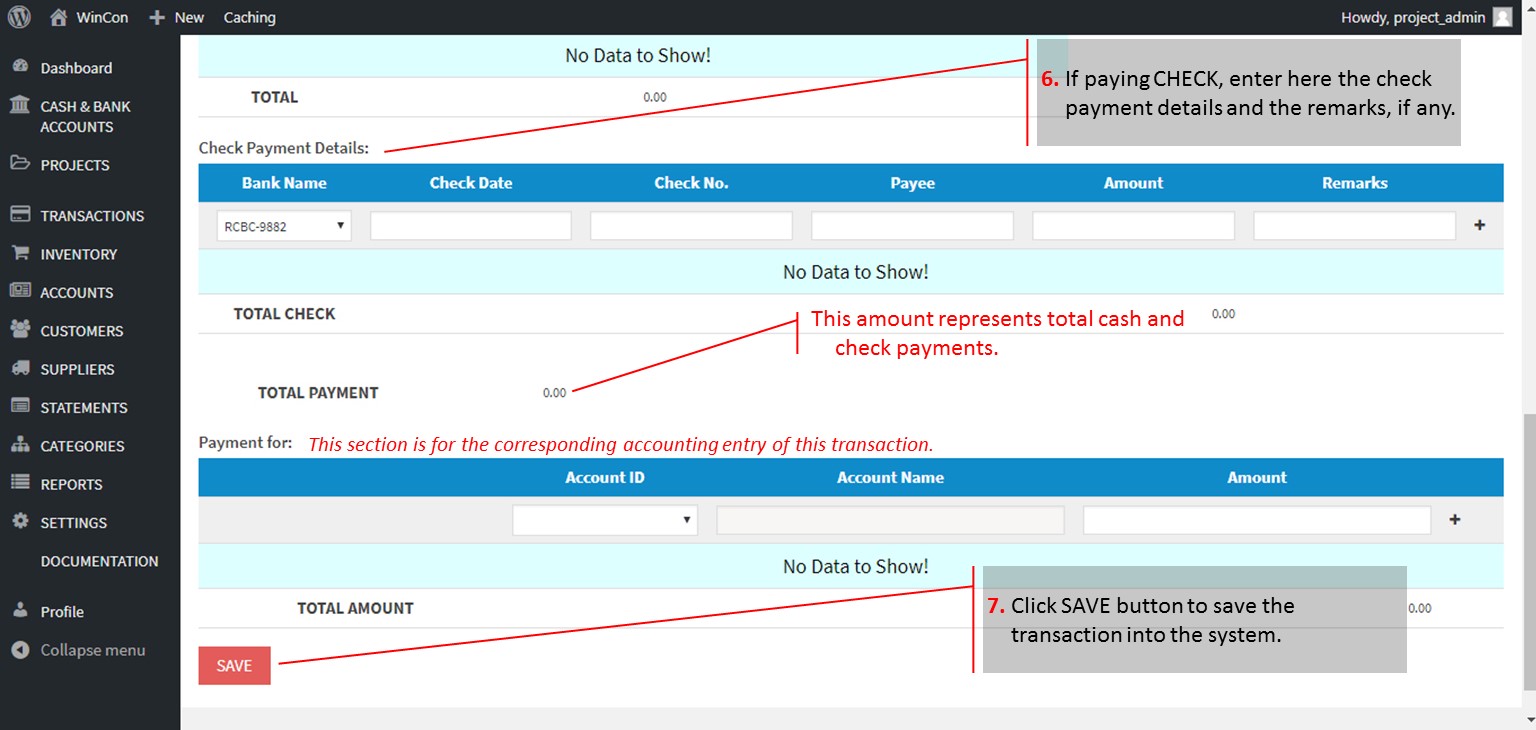
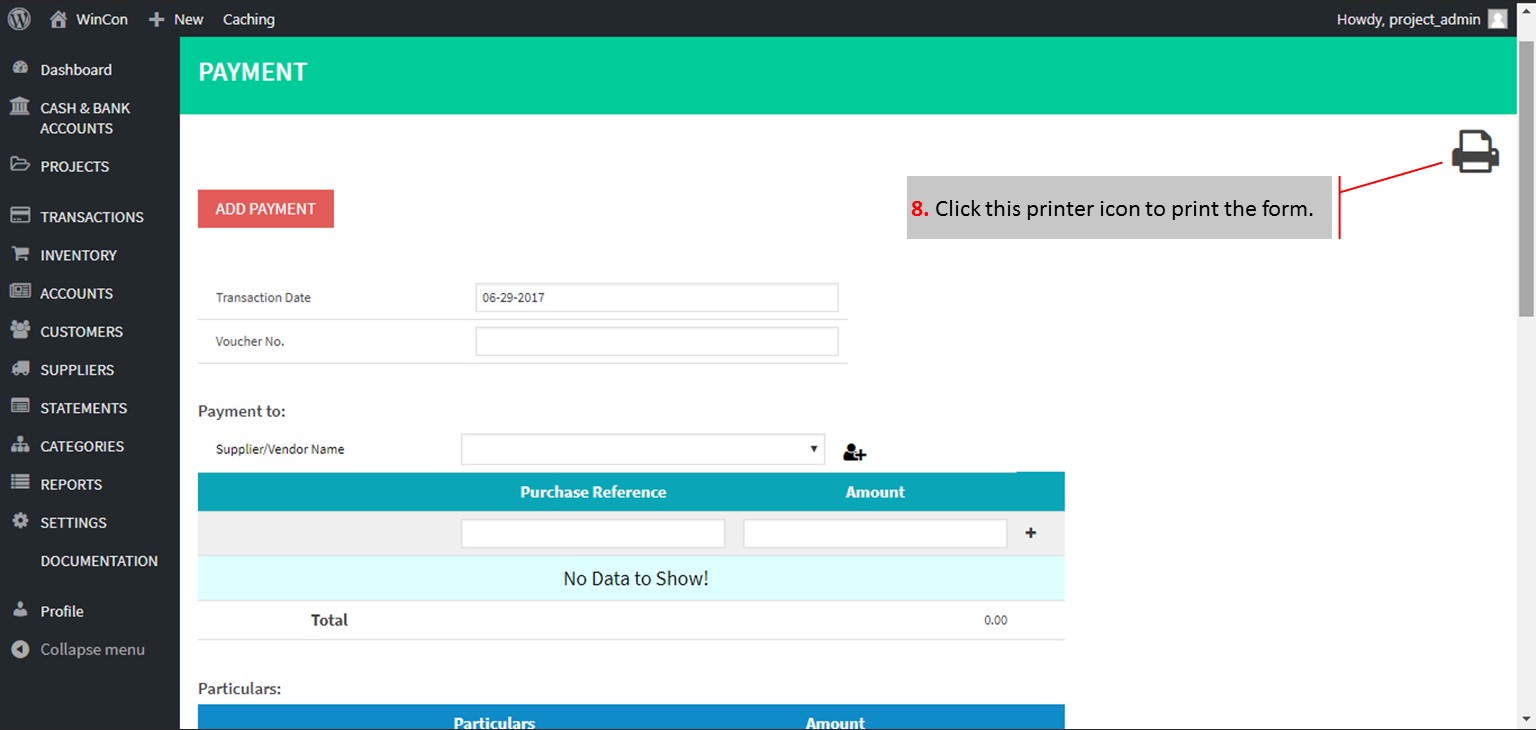
Payments can be done in cash or in check. A Payment Voucher form can be printed once the transaction is saved.
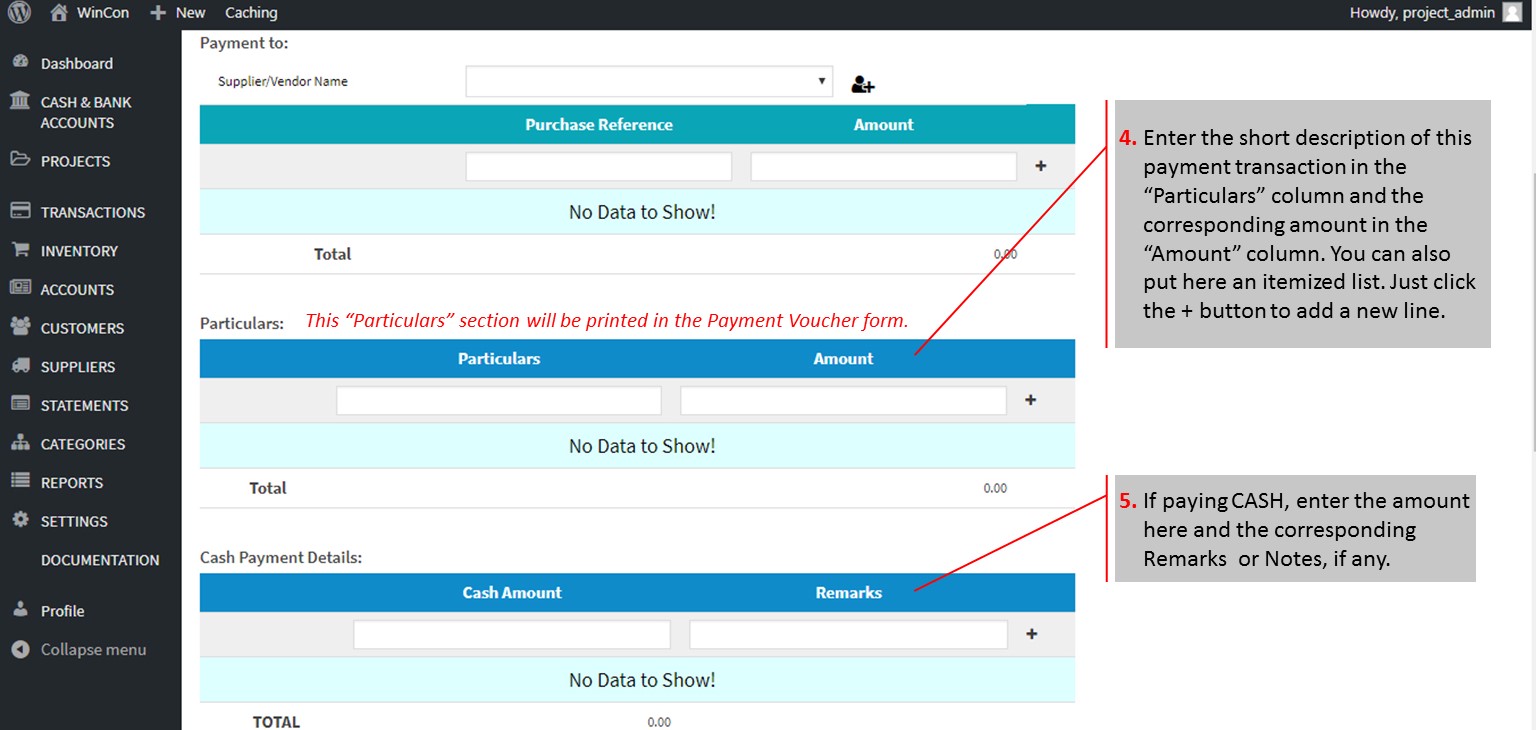
Here’s the procedure on how to post payment into the system:
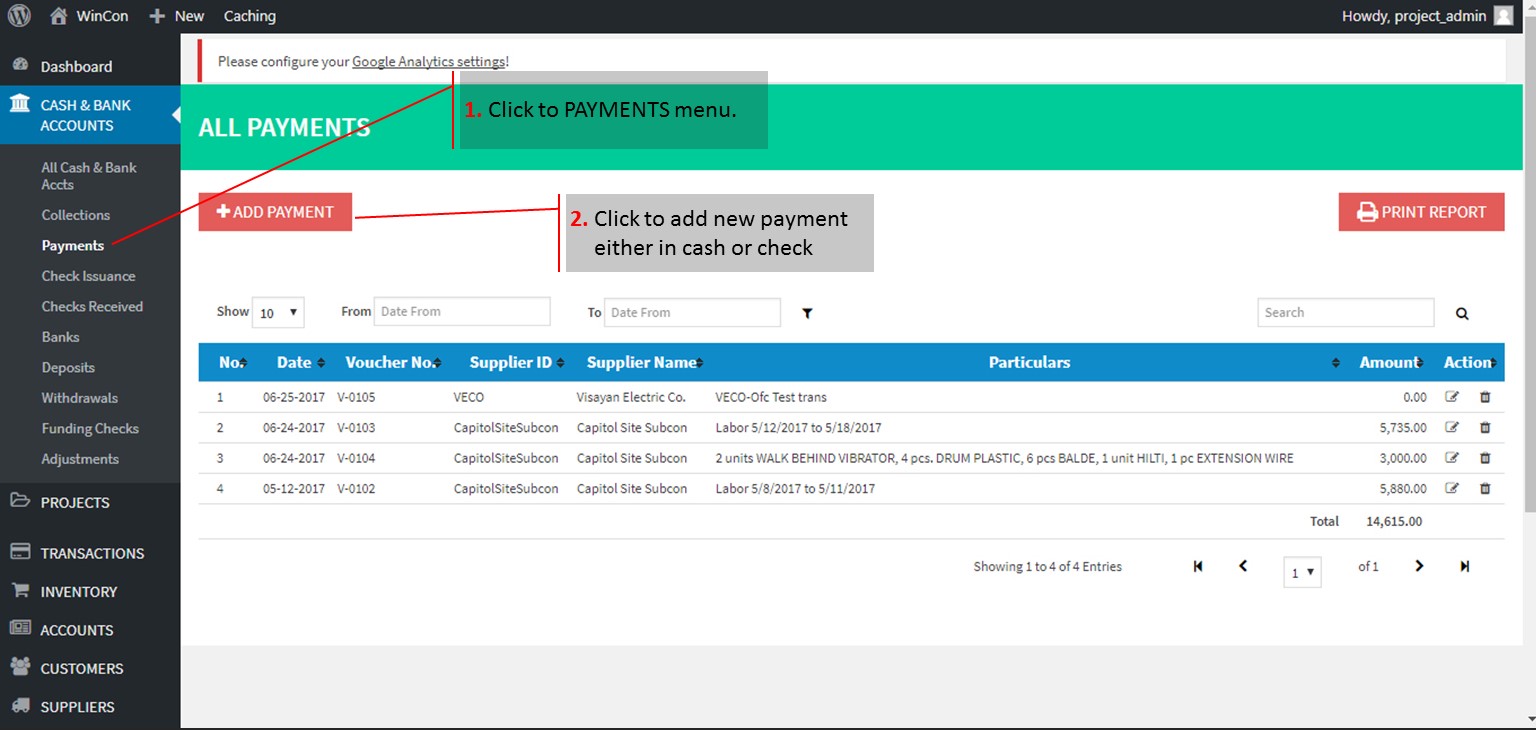
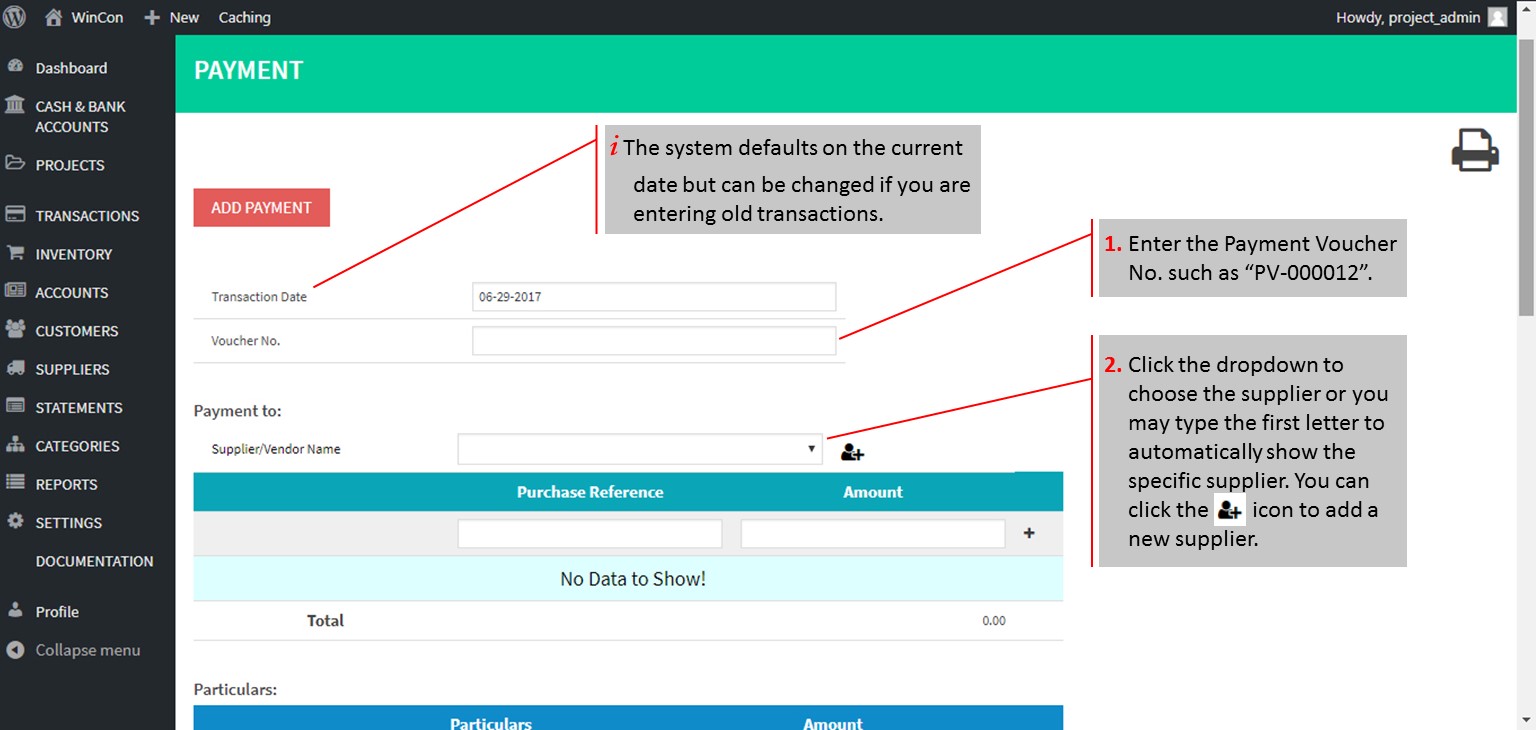
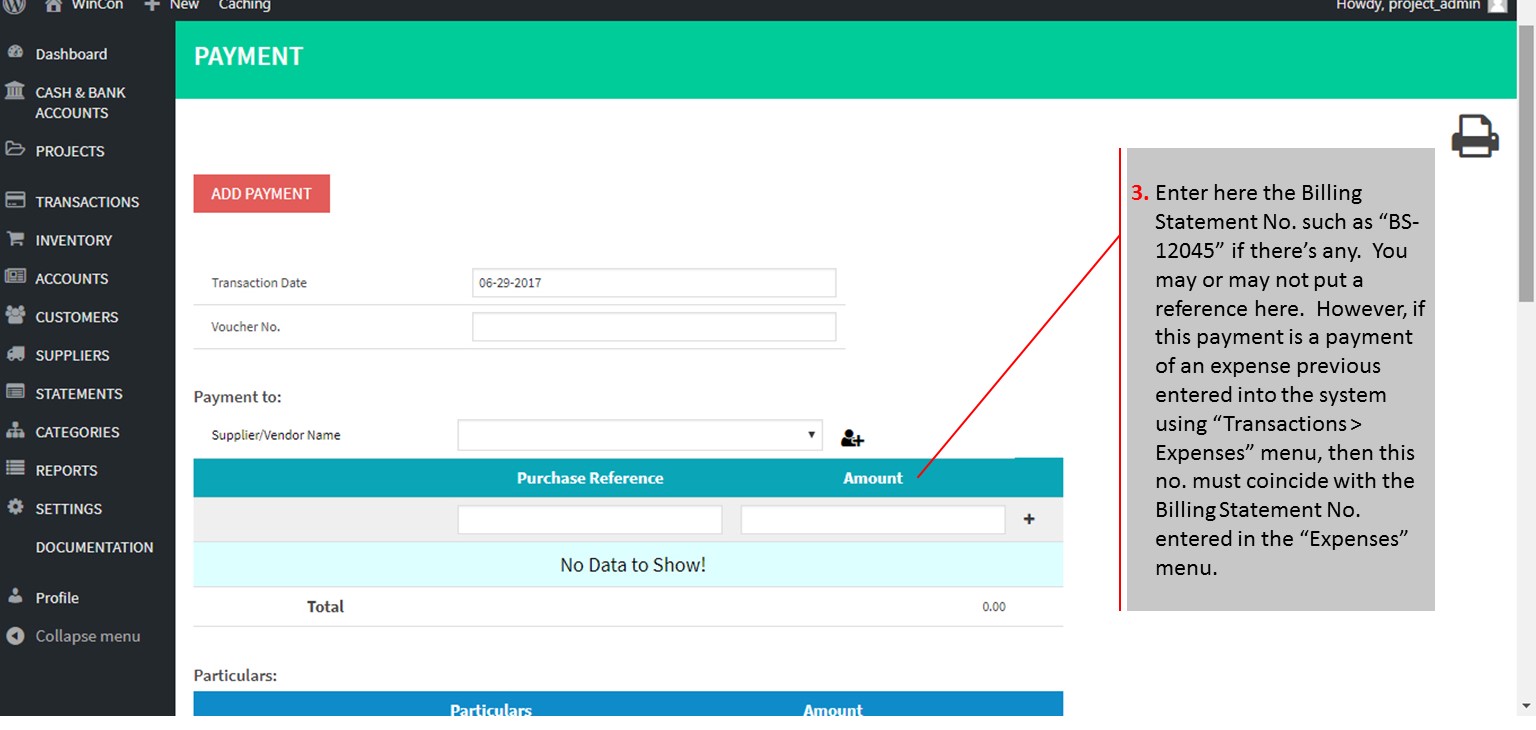
Click to zoom the slideshow.